

Built for hard work.
Assign it. Communicate it. Track it. Know it got done.
Tasks, crew communication, and equipment maintenance built for teams working in the field.
GoDuro is in private beta. It is being tested with real field crews before wider release, and we are adding companies a few at a time. If somebody invited you, the install page will get you going.
Nothing is billed while it is being built, and there is no limit on how many people you add.
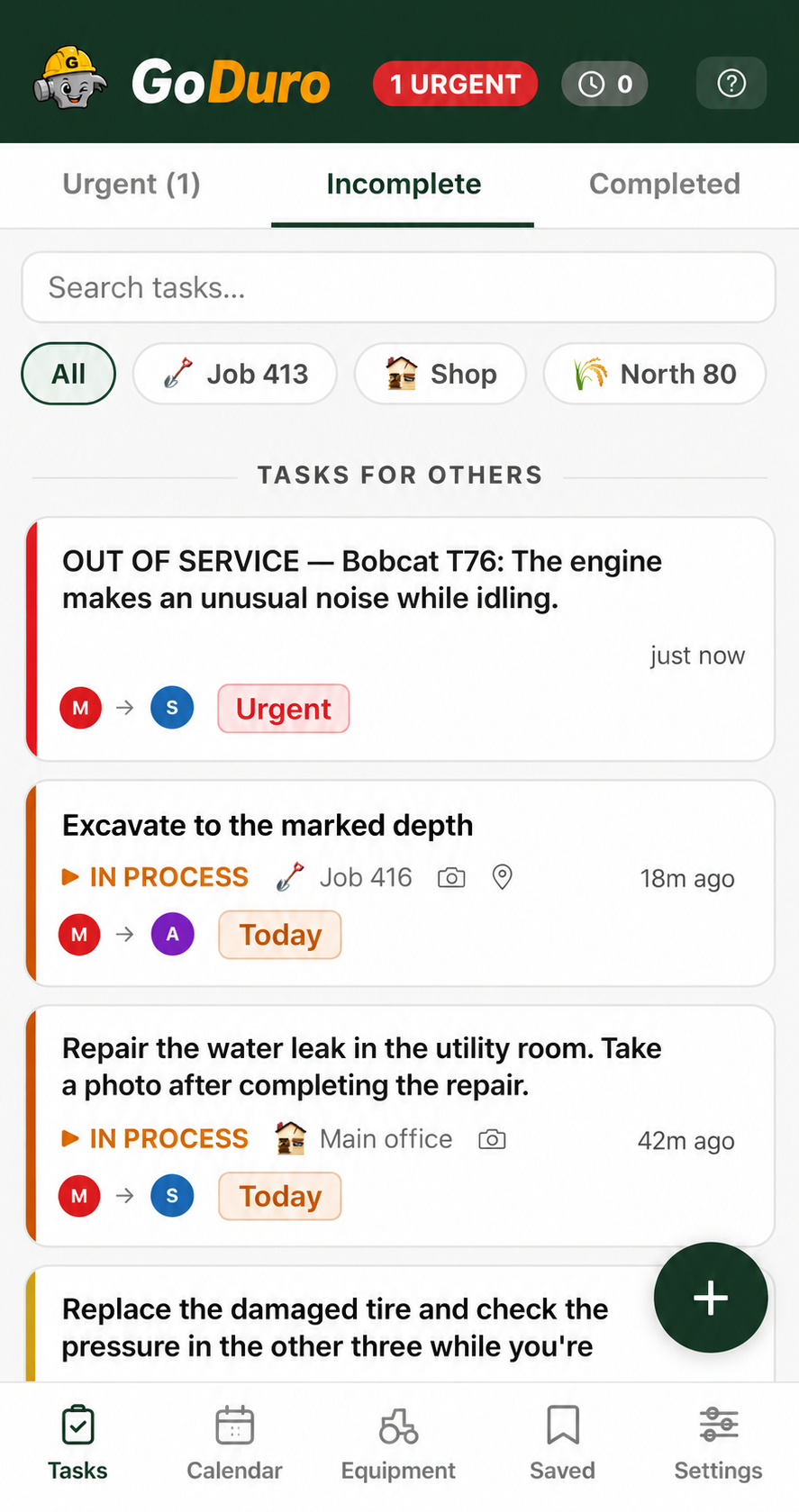
Assign the work. See what is happening.
Create tasks, assign the right people, mark priorities, add locations, and see what is urgent, in progress, or complete. Managers can see work across the team instead of relying on scattered texts, calls, and memory.
It works the other way round too. Everyone can see what the rest of the crew is doing, so the boss stops being the only person holding the whole picture.
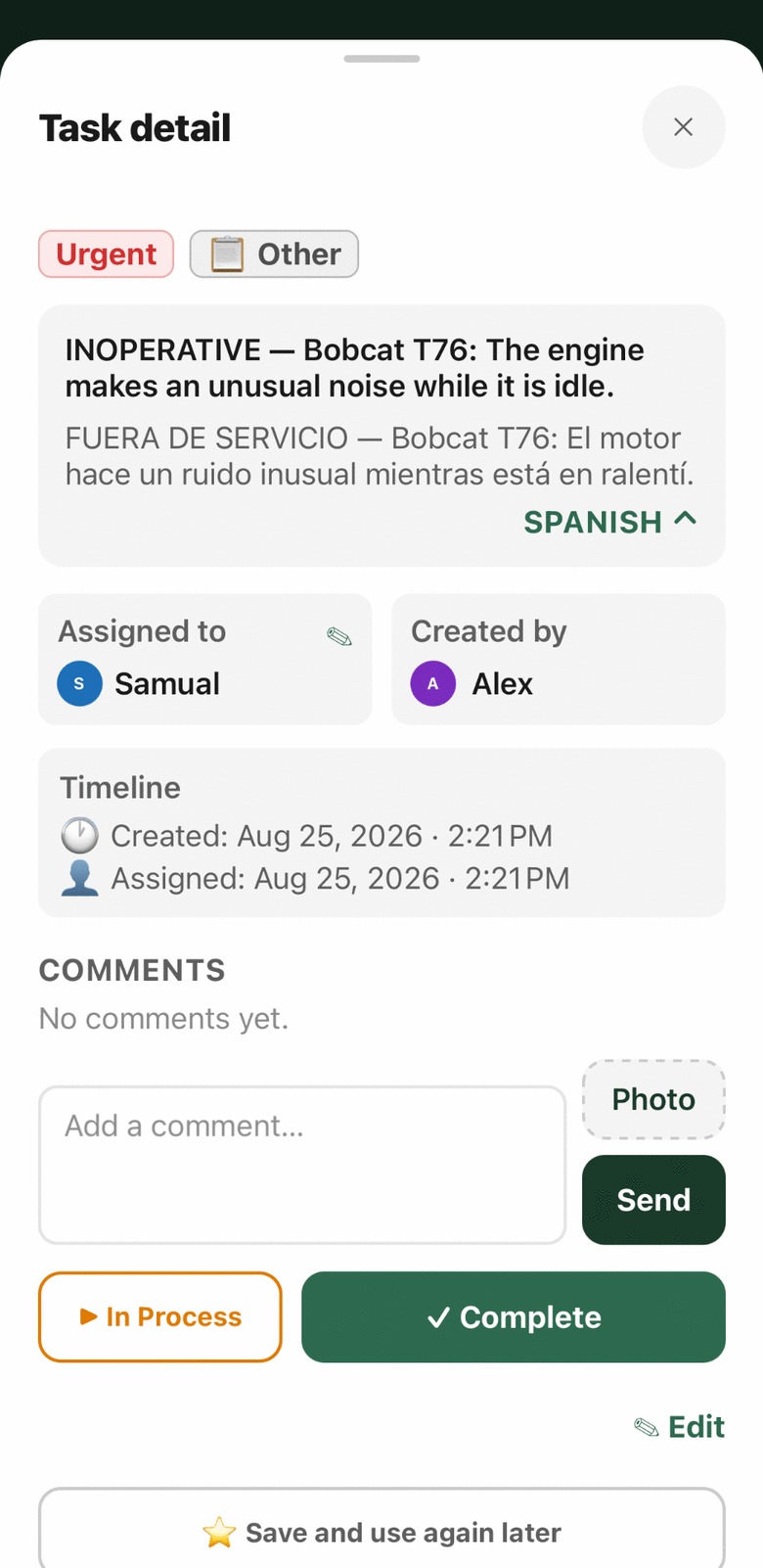
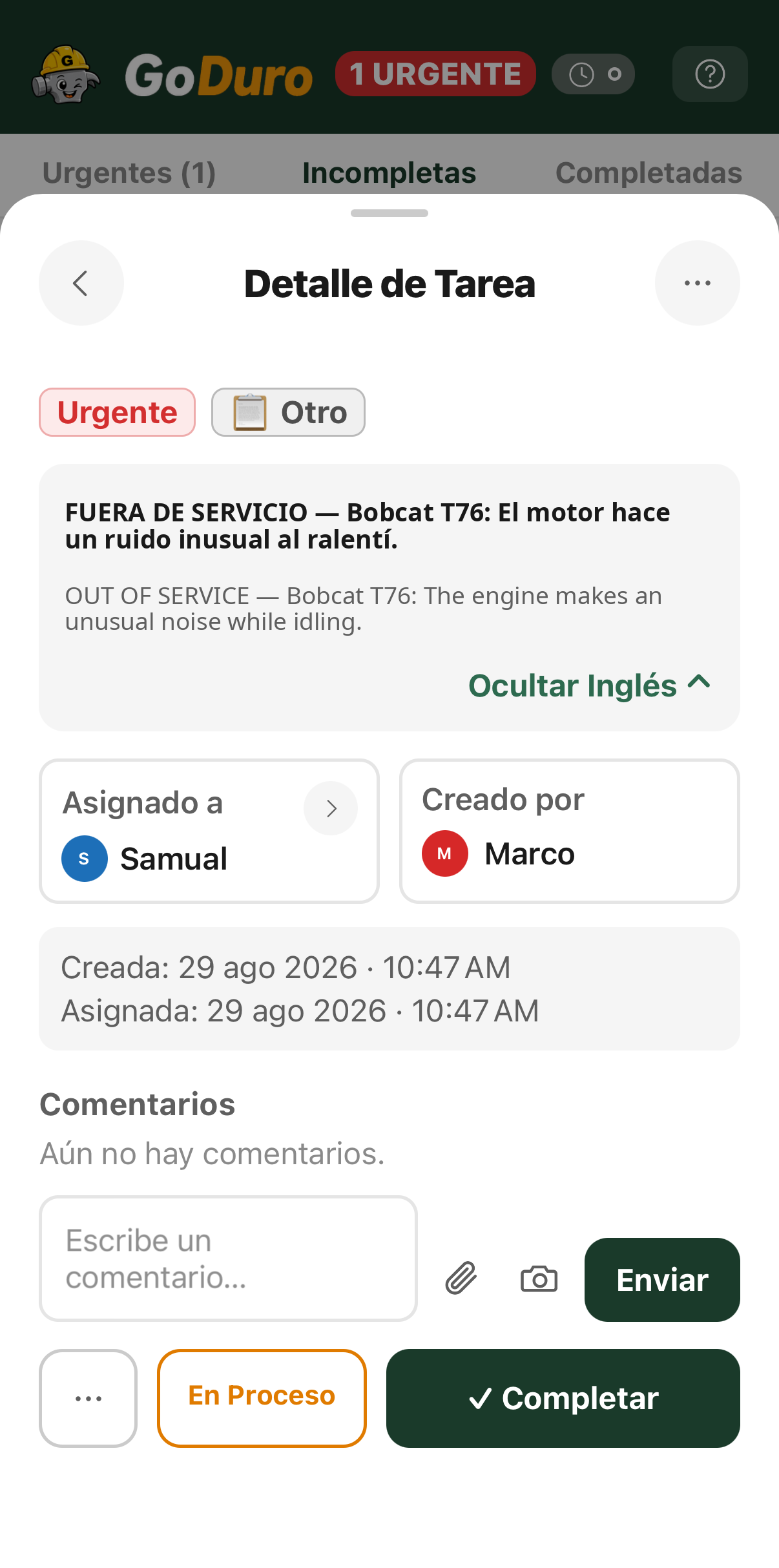
Everyone sees the same work in their own language.
GoDuro automatically translates tasks and comments between English and Spanish, and keeps both versions available when the context matters. A worker can ask a question from the field, a manager can answer clearly, and the conversation stays attached to the work.
The original is always there next to the translation, so nobody has to take a machine's word for what somebody meant.
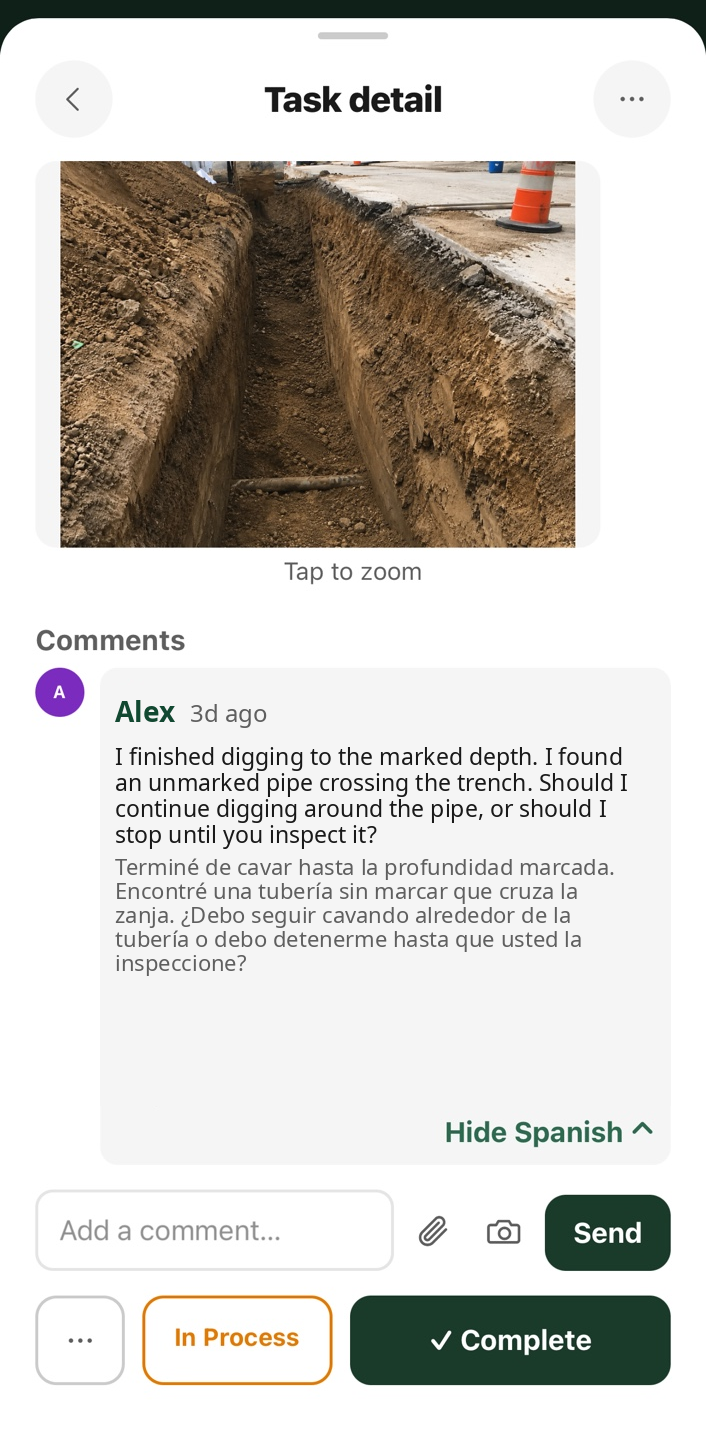
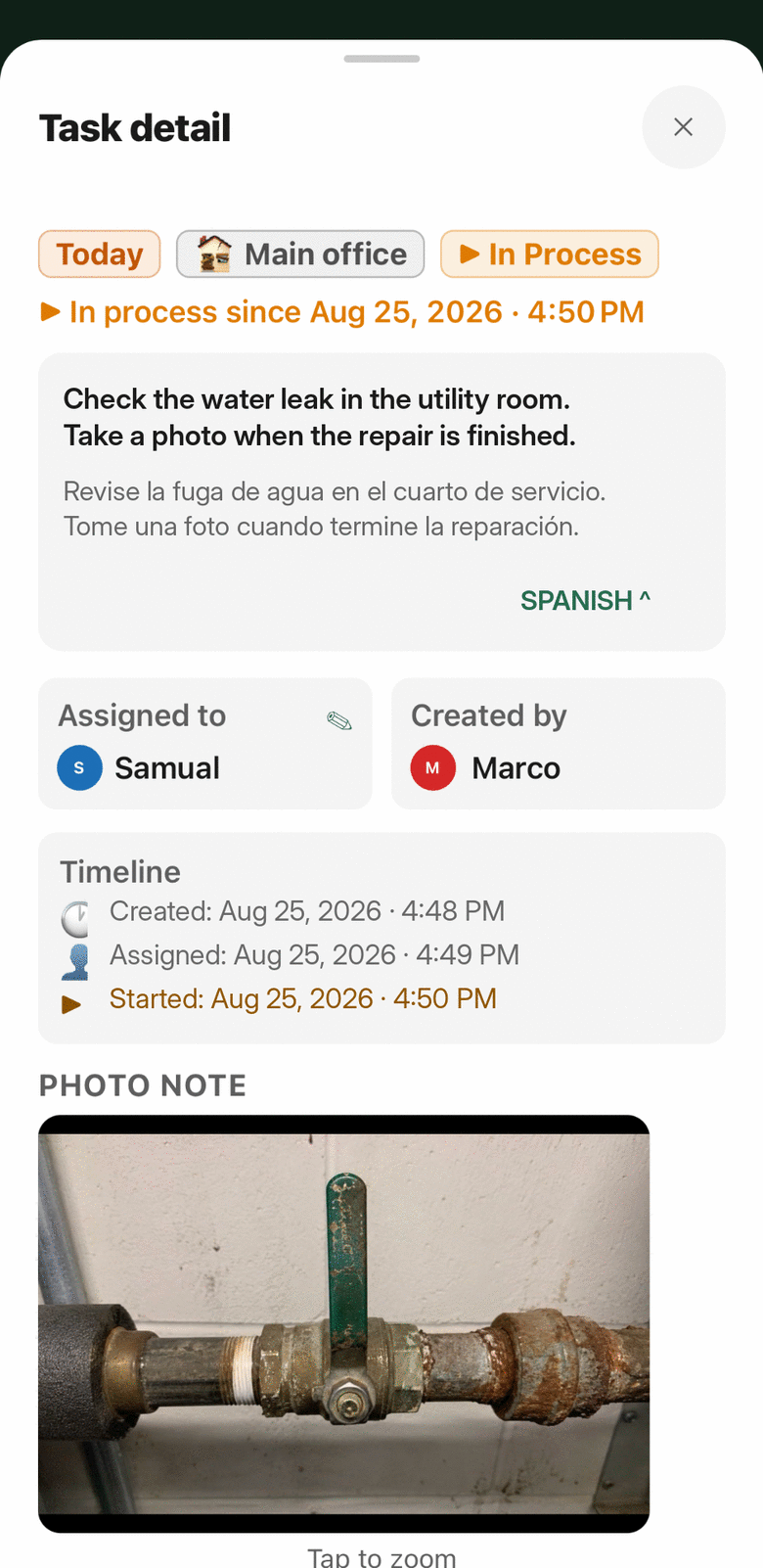
The task carries the details with it.
Attach photos, locations, comments, assignments, and timestamps to the work itself. A worker can show what they found, explain what changed, and leave a record the next person can understand.
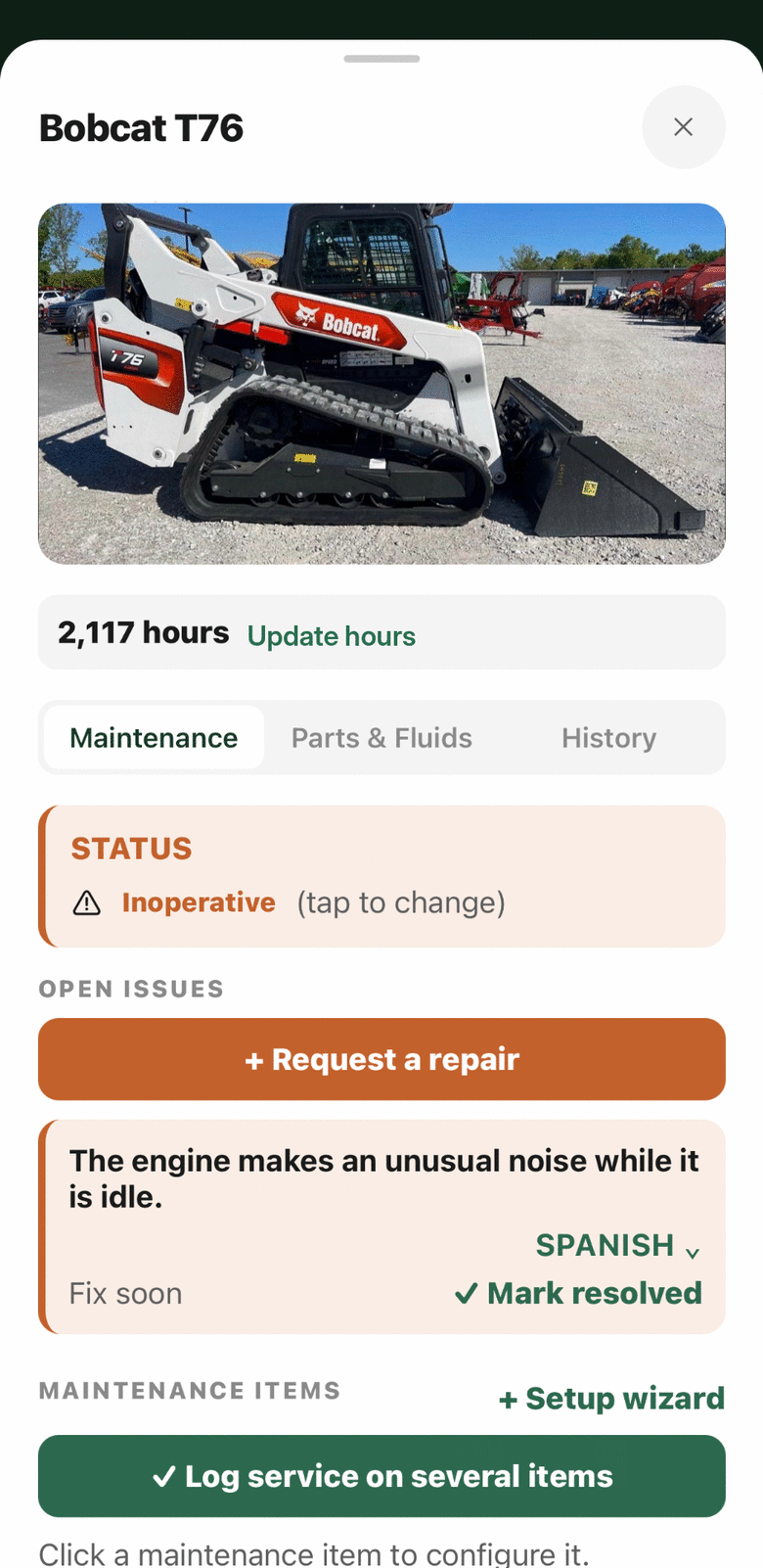
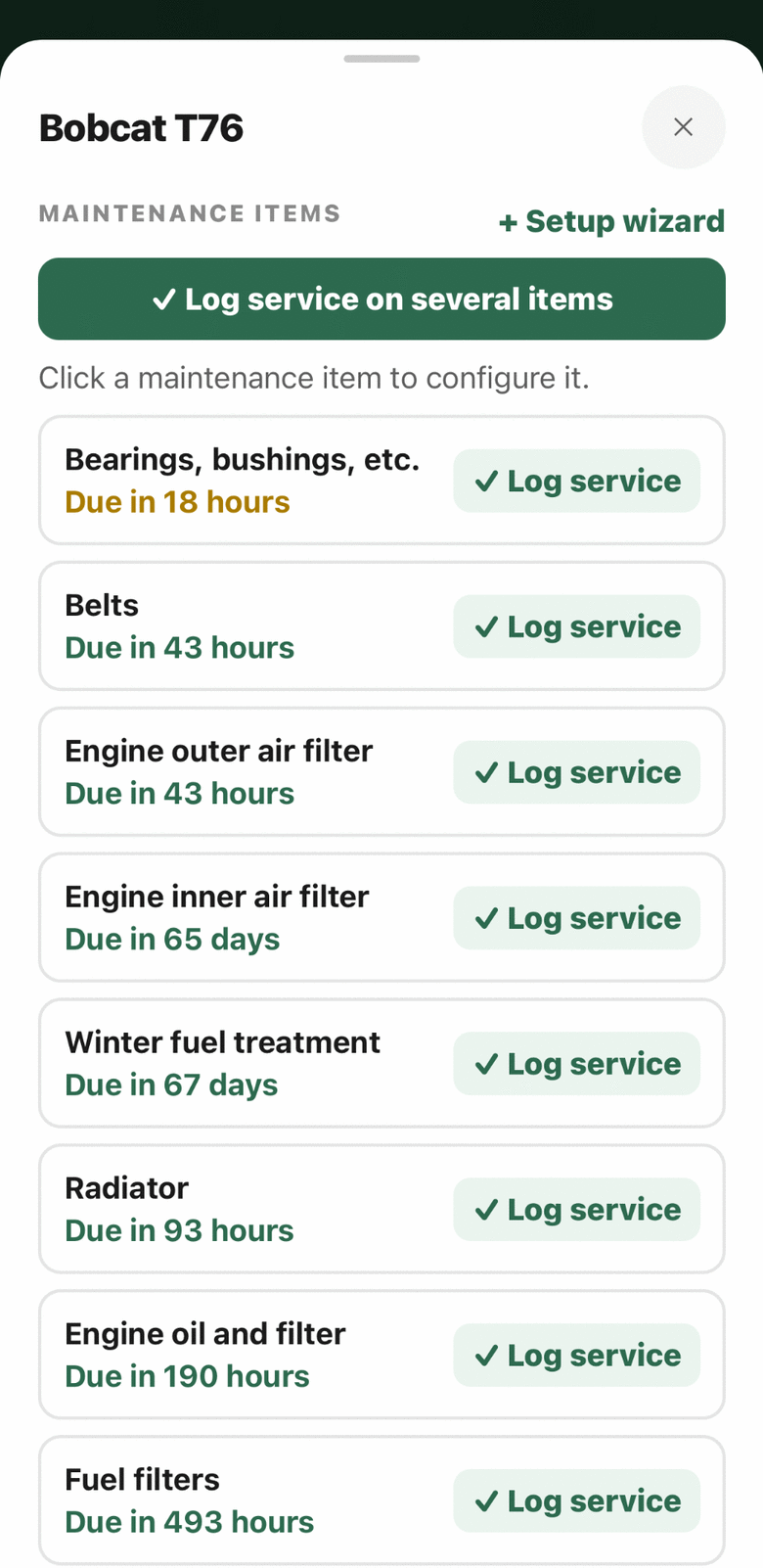
See what needs maintenance, before it is late.
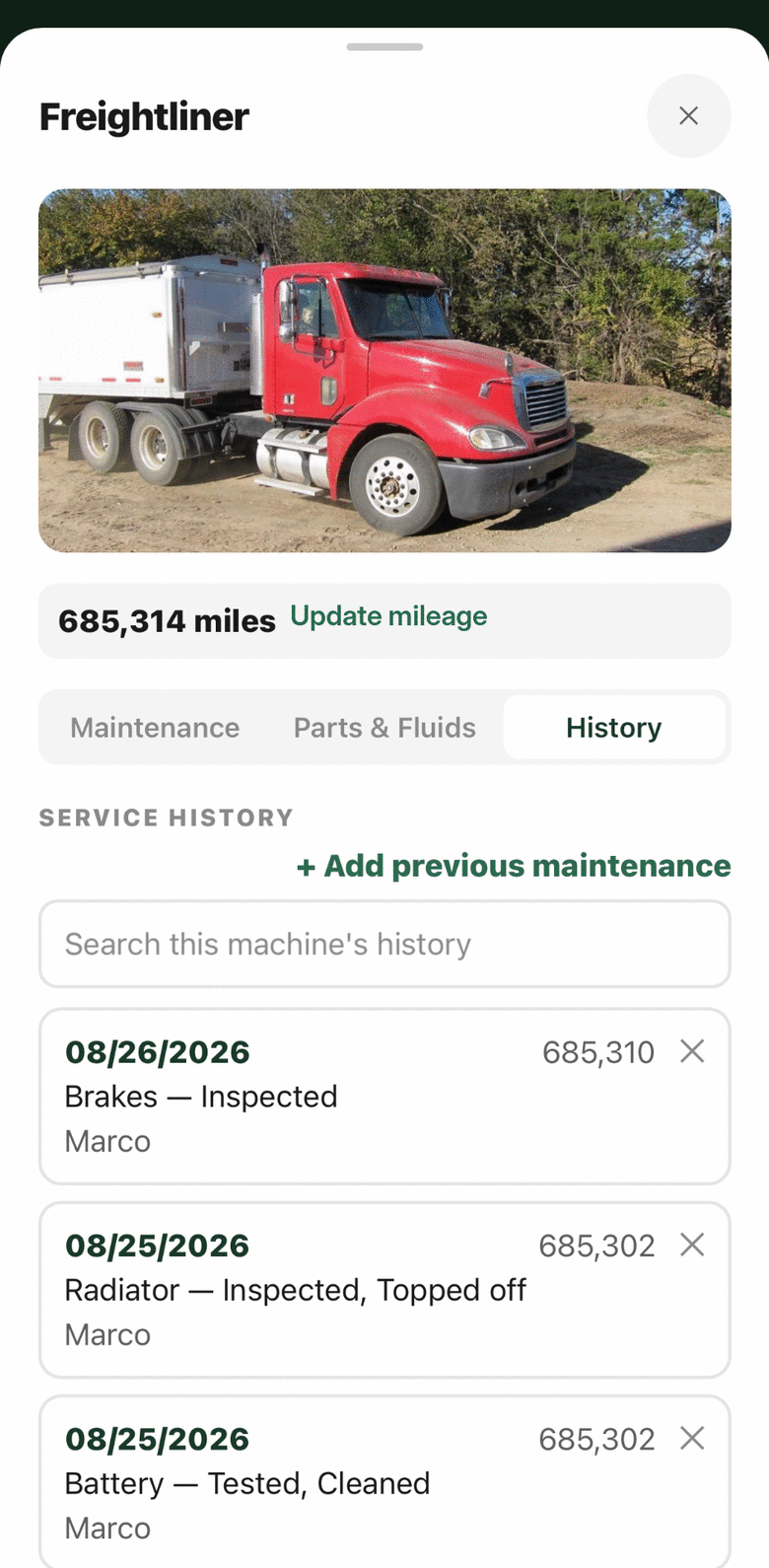
Track equipment meters, service intervals, open issues, and out-of-service status. Schedule maintenance by hours, miles, or calendar time, then record exactly what was inspected, replaced, cleaned, lubricated, repaired, or adjusted.
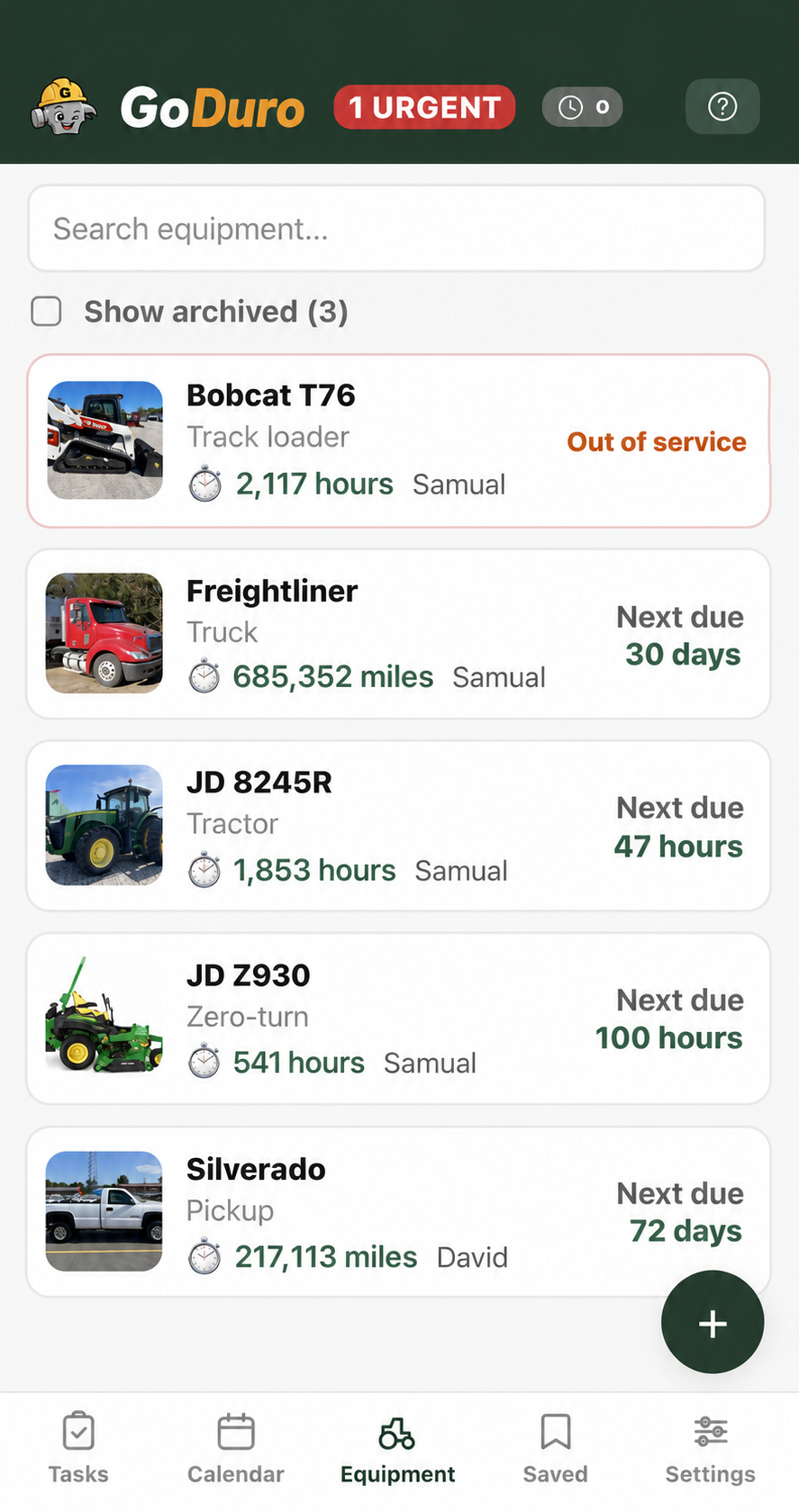
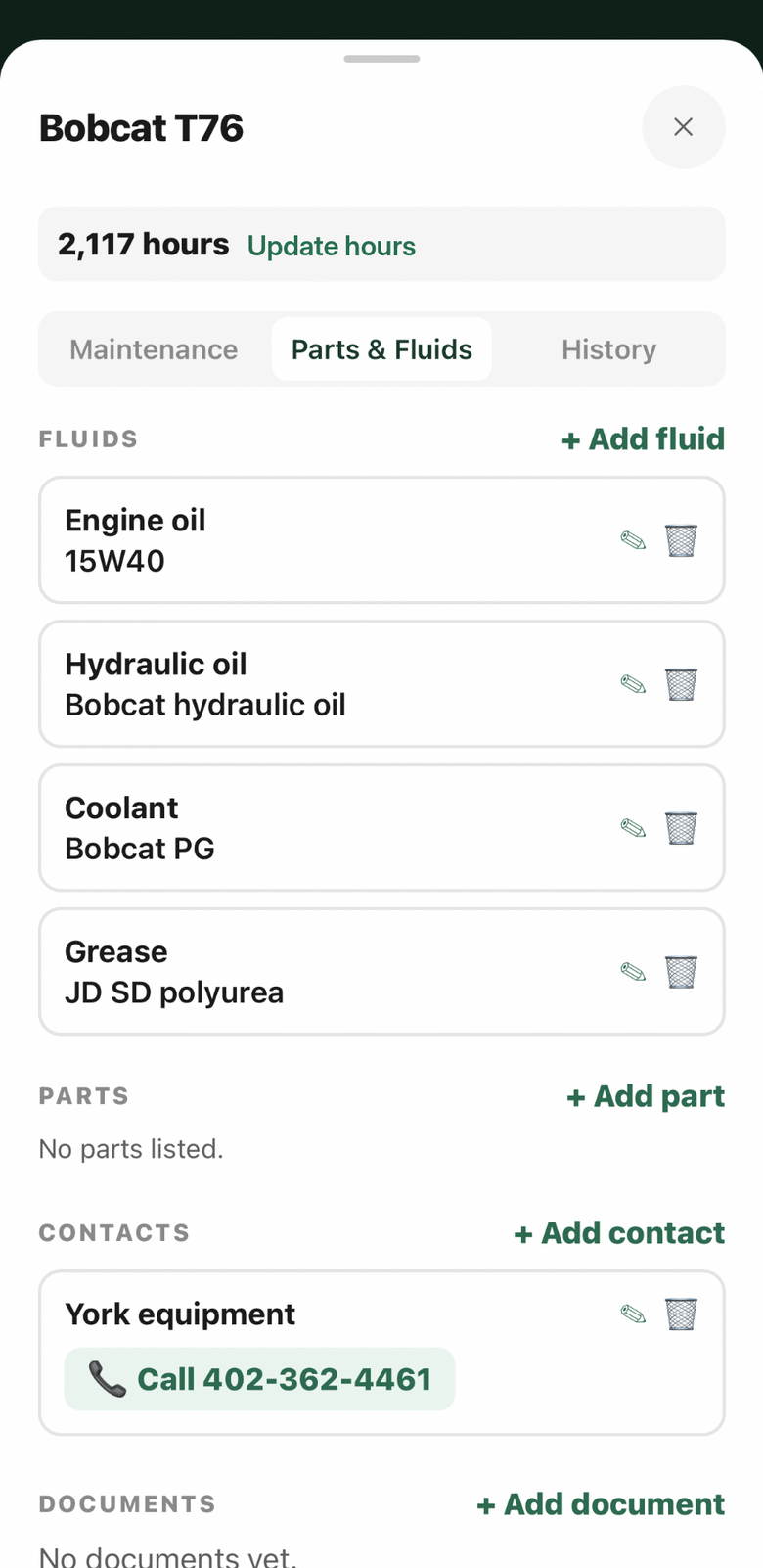
Parts, fluids, contacts, and history stay with the equipment.
Keep the fluid specification, common parts, service contacts, documents, and maintenance history where the crew can actually find them. The history becomes a usable record instead of a pile of receipts and forgotten notes.
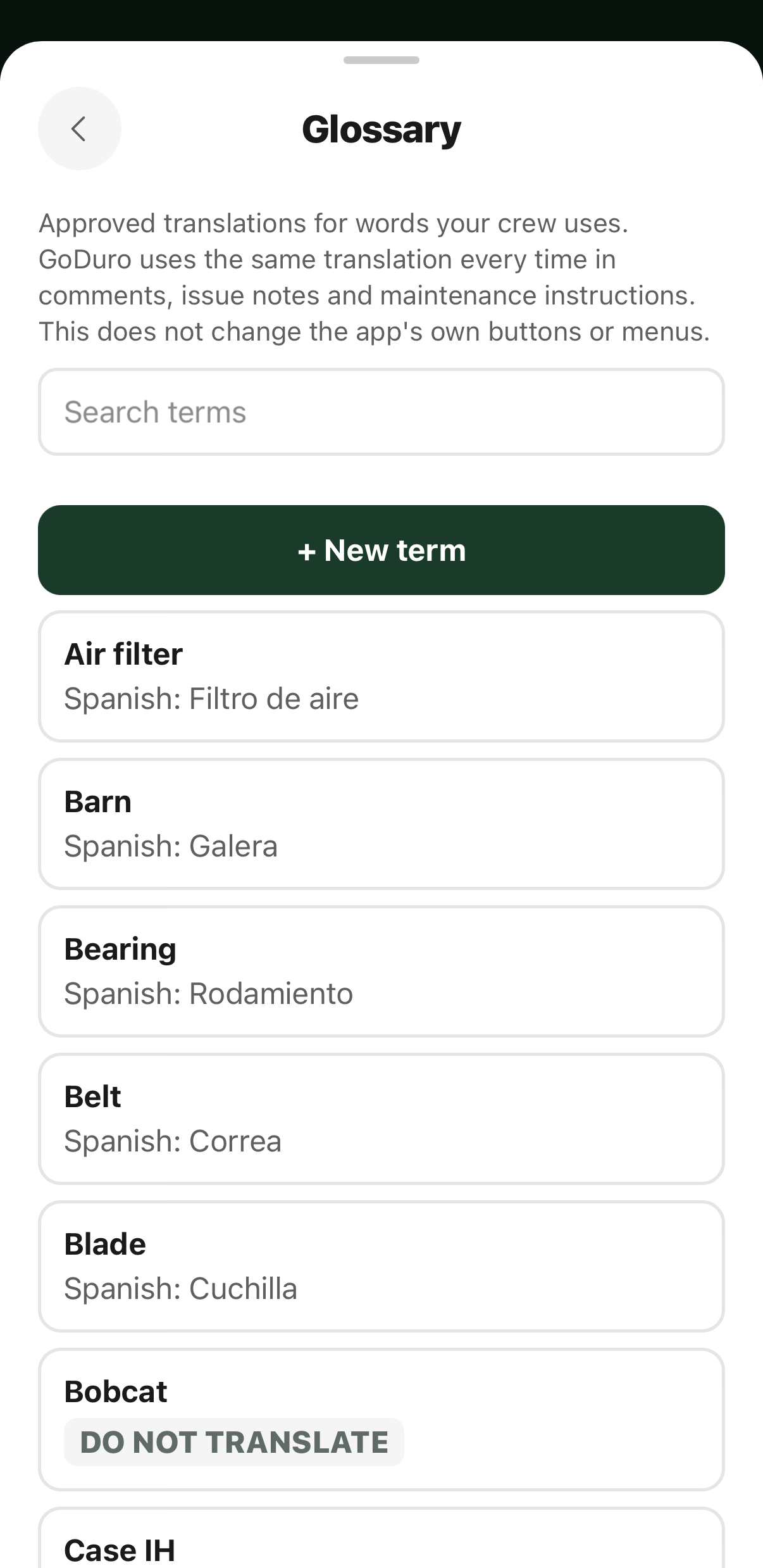
Your terms mean the same thing in both languages.
Use the glossary to control common English and Spanish terminology, and to keep brand names, model names, or company-specific terms from being translated when they should stay exactly as they are.
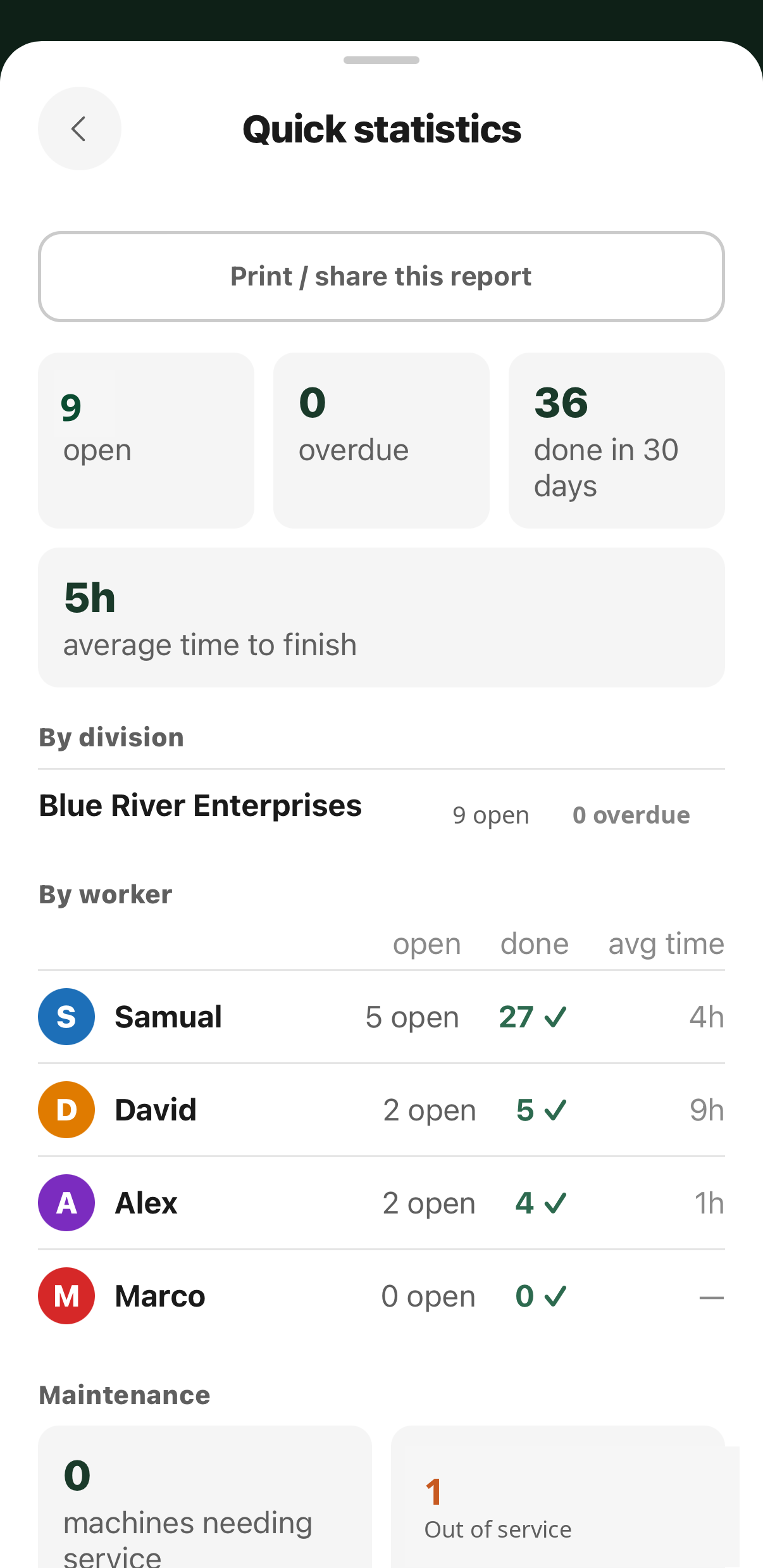
Know how the work is going without asking anybody.
Quick statistics answers the questions a manager would otherwise ask four people to find out: what is open, what is overdue, what got finished in the last month, and how long jobs are taking on average.
It breaks down by division and by person, so a division that is fully caught up still appears rather than quietly vanishing from the report, and it prints or shares as it stands.
Record it once. Know what is happening. Share exactly what others need.
Records are the pages a farm keeps anyway — the weekly generator check, the rodent stations, the visitor log, water tests — filled in on the phone by whoever did the work, with a photo where a photo is needed. A manager sees what came in, what is due, and what was never filled in, without driving out. An answer that is not the expected one is marked as an exception and waits for a manager to look at it.
A submitted record is never written over. A correction keeps the original, the change, who made it, and why.
When an integrator or auditor needs to see them, one code and a PIN on a sign open a read-only view of only the record types you chose to share — on their own phone, in English or Spanish, with no account.
Also in the app
Sequential tasks · saved and reusable work · calendar and scheduling · timesheets · quick statistics · reference information · photo proof · searchable history · company-wide task visibility
While GoDuro is being built, you are a development partner.
No charge during the beta
The businesses testing GoDuro are not customers yet — they are helping build it, by running it on real farms and job sites and telling us what breaks. Everything is switched on, for as many people as you need, and nothing is billed.
At about 60 days we will come and ask how it is going, and you decide what happens next: stay in the beta, or move to a subscription if you would rather. That is $7.95 per user per month, every feature included, and it only ever starts because you say so.
Give your crew one clear place to run the work.
GoDuro is in private beta. If somebody invited you to test it, the install page has everything you need — if not, tell us about your crew and we will get in touch.